
Appearance
Blazor Integration: Diagrams
Diagrams for the Blazor integration concepts introduced in Part 3.
Component Hierarchy
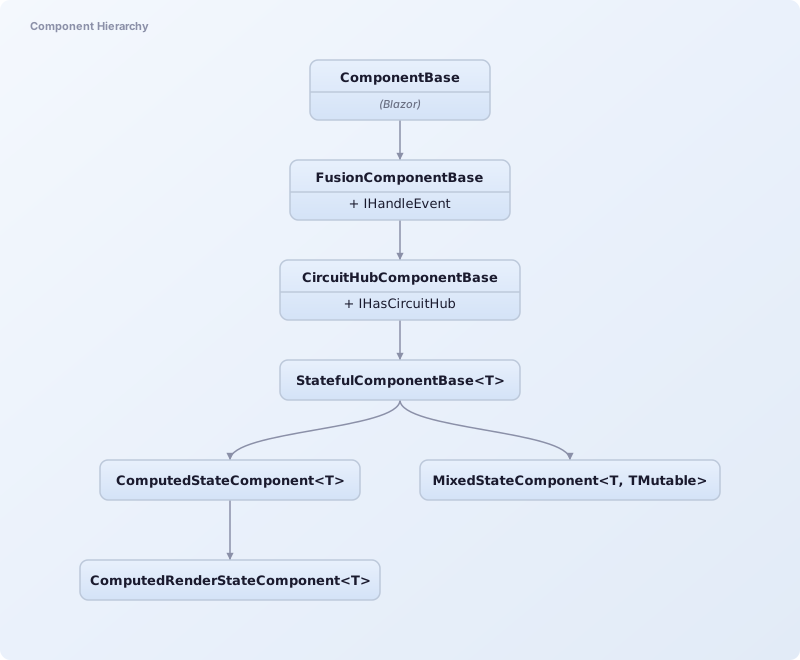
| Component | Purpose |
|---|---|
ComponentBase | Blazor's base class |
FusionComponentBase | Optimized parameter comparison & events |
CircuitHubComponentBase | CircuitHub access & service shortcuts |
StatefulComponentBase<T> | State management & auto-updates |
ComputedStateComponent<T> | Auto-computed state, dependency tracking |
ComputedRenderStateComponent<T> | Tracks render state snapshot, optimized re-rendering |
MixedStateComponent<T, TMutable> | Computed state + mutable state for form inputs |
FusionComponentBase Parameter Comparison Flow
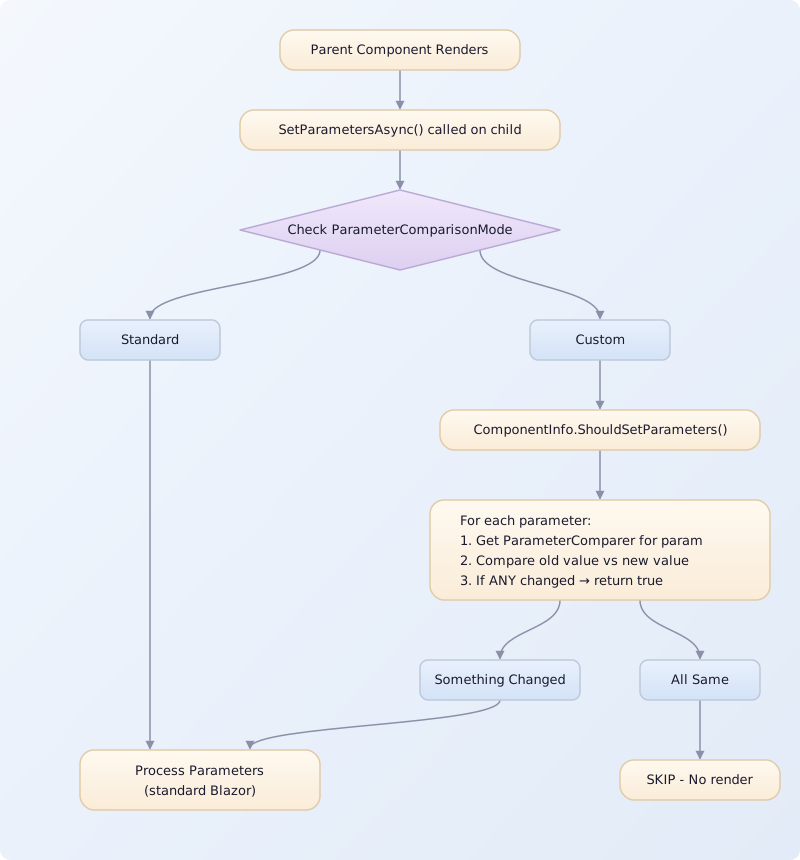
| Comparer Resolution Order | Description |
|---|---|
1. [ParameterComparer] on property | If found, use it |
2. KnownComparerTypes[propertyType] | If found, use it |
3. [ParameterComparer] on property's type | If found, use it |
4. [ParameterComparer] on declaring class | If found, use it |
5. DefaultParameterComparer | Fallback |
CircuitHub Service Architecture
CircuitHub is a scoped service providing access to commonly used services and state:
| Category | Property | Description |
|---|---|---|
| Fusion Services | Session | Current user session |
Commander | Command executor | |
| Blazor Services | NavManager | Navigation manager |
JSRuntime | JavaScript interop runtime | |
UICommander | UI-aware command executor | |
JSRuntimeInfo | Runtime type inspection | |
UIActionFailureTracker | Tracks command failures | |
| State Info | RenderMode | Current Blazor render mode |
IsPrerendering | Whether currently prerendering |
ComputedStateComponent Lifecycle
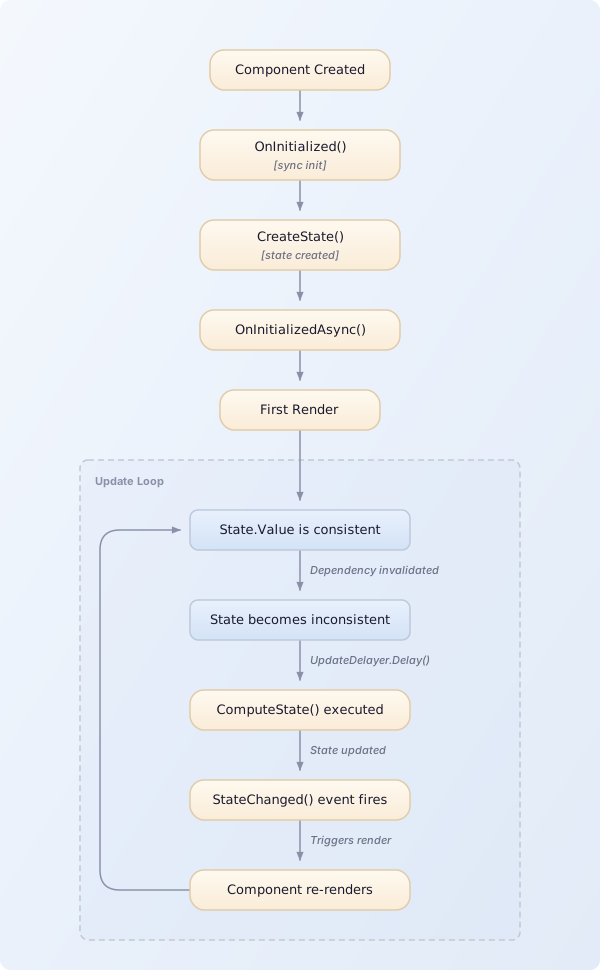
| Step | Description |
|---|---|
CreateState() | Creates ComputedState<T> with ComputeState as the computation function |
| First Render | State.HasValue determines what to render |
ComputeState() | Calls your compute methods (tracked) |
StateChanged() | Calls NotifyStateHasChanged() |
MixedStateComponent Lifecycle
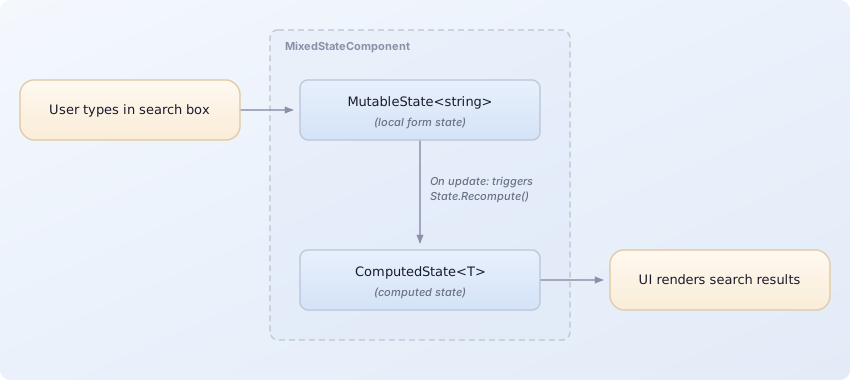
| State | Purpose |
|---|---|
MutableState<string> | User input binding, always consistent, Set() updates value |
ComputedState<T> | Reads MutableState.Value, calls compute services, returns computed result |
Note: ComputeState doesn't need to explicitly call .Use() on MutableState - the dependency is assumed. Any change to MutableState triggers an immediate re-render (no update delays).
Example Flow:
- User types "react" in search box
MutableState.Valueupdates to "react"ComputeState()executes: reads search term → callsSearchService.Search()→ returns results- UI renders search results
Authentication Flow
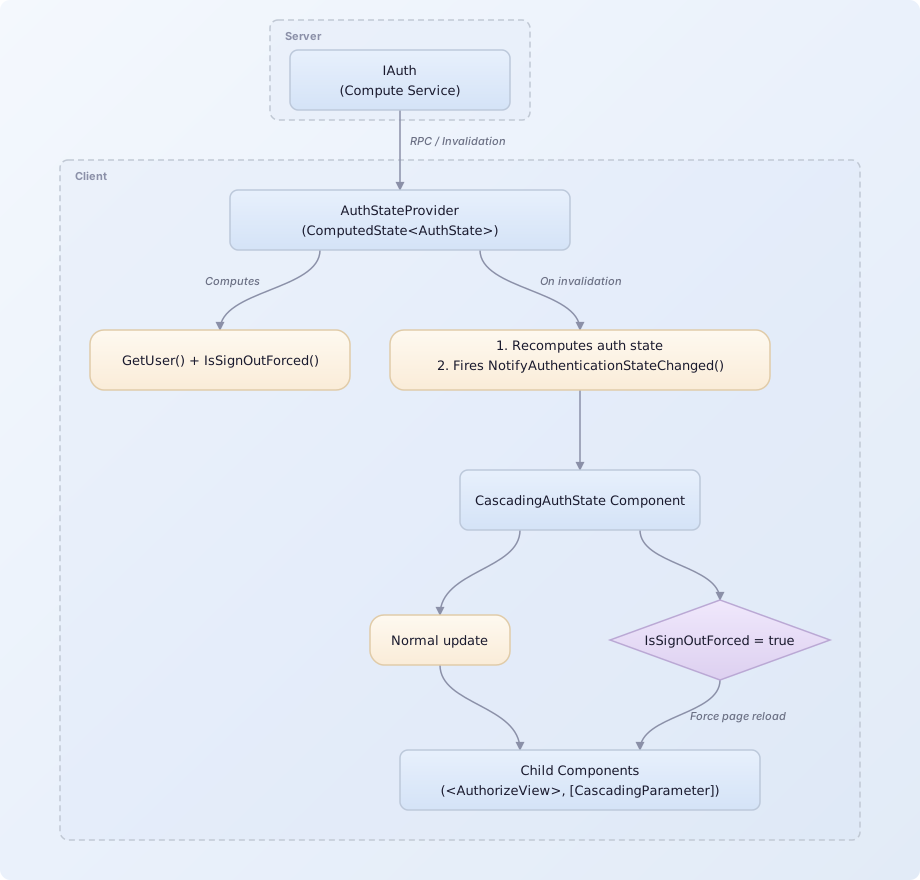
| Method | Description |
|---|---|
GetUser() | Compute method returning current user |
IsSignOutForced() | Compute method checking forced sign-out |
PresenceReporter.Run Flow
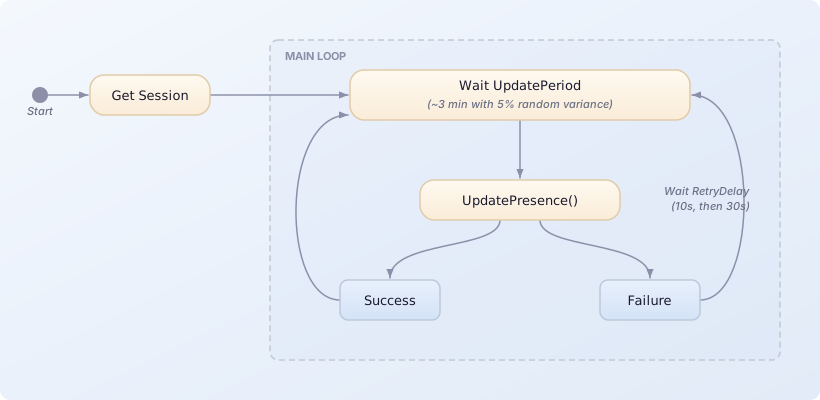
| Timeline | Sequence |
|---|---|
| Normal | Start → Update (~3min) → Update (~3min) → Update (~3min) |
| On Failure | Start → Update (fail) → Retry 10s (fail) → Retry 30s (success) → Update (~3min) |
Render Mode Switching
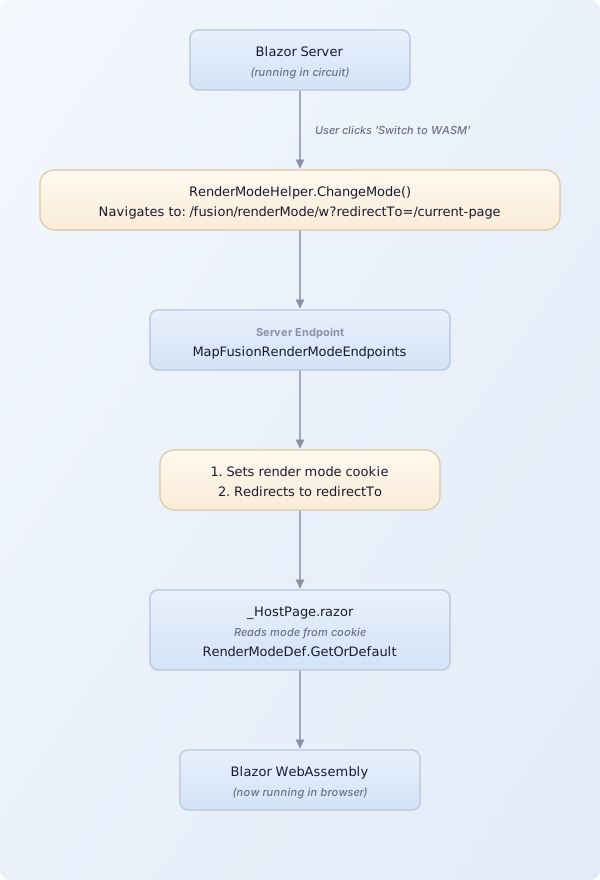
| Mode | Code | Description |
|---|---|---|
| Auto | a | Automatic mode selection |
| Server | s | Blazor Server mode |
| WebAssembly | w | Blazor WebAssembly mode |