
Appearance
ActualLab.Fusion, the distributed state sync monster
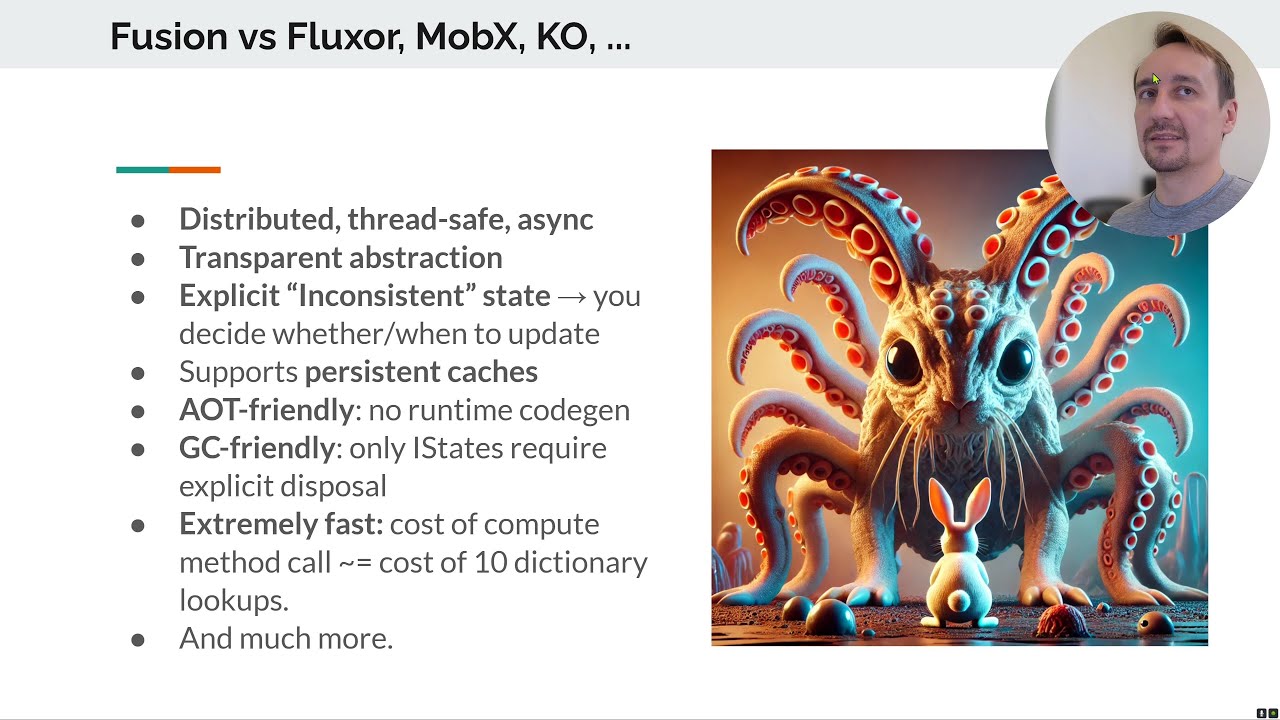
Table of Contents
- Introduction and Redis Baseline (0:00)
- Fusion Performance and Network Efficiency (1:00)
- Actual Chat Background and Demo (5:15)
ComputedStateComponent<T>Example (9:16)- Why Real-Time Is Hard (11:18)
- What Fusion Is (15:44)
- Todo App Demo (18:30)
- Todo App Code and Invalidation (43:49)
- Distributed Invalidation Demo (59:48)
- How Fusion Works (1:09:55)
- Performance and Comparisons (1:21:39)
- Practical Patterns and Actual Chat Examples (1:31:42)
- Conclusions and Further Resources (1:49:17)
Transcript
00:00 I recorded this video yesterday, and after composing the final version, I realized that two hours is way too long for any introduction. I decided to record a prequel to it—an introduction to the introduction. That's what we're going to start with.
00:30 What you can see here is how Redis performs on my machine: 120,000 calls per second. Let's treat this number as a baseline. You can run this benchmark in any Redis container; the utility is called redis-benchmark.
01:00 Redis produces about 120,000 calls per second. On the same machine, Fusion's client reaches a similar-looking number—but it is 130 million calls per second. That's roughly a 1,500-times speedup. If you use Fusion only on the server, without its client, the speedup is about 20 times.
01:32 Notice that the server-side result—almost 90,000 calls per second—is quite similar to Redis. The underlying storage in this case is PostgreSQL, and with a small amount of data they should produce nearly the same result. What you can see next is even crazier.
02:02 The traffic over the WebSocket connection on the right shows that the Fusion client resolves six calls with a single round trip to the server. The first two messages are the handshake: one outgoing and one incoming.
02:32 Six calls are resolved. Why six? We need data to resolve a user from the session and show this section. One call is for the summary, and three calls are for this part: the first gets a list of IDs, then two more get the data. What's strange is that there is a clear data dependency.
03:02 You need to get the IDs before you can get the items by those IDs. To get this whole piece of data, you probably need to authenticate first. How can this package all those calls into one packet and get the data back?
03:20 Now I'm going to show you how this works. This is the actual code for the UI component that renders the list of items. All it does is fetch the list of IDs and put them into its model. When that model is rendered, the child component for each item fetches the item's data by its ID.
03:49 As I said, there is a clear data dependency. Nevertheless, this really uses a single round trip to the server. You might assume that this is an artificial scenario because it is a small sample, but the same behavior appears in Actual Chat, our real application built on Fusion.
04:12 For my account, Actual Chat issues about 1,300 calls when it starts or reconnects; I have a fair number of chats. It normally needs only about 15 messages to retrieve that data, and a reconnection transfers just 10 kilobytes. It also supports offline mode without requiring extra application code.
04:43 If you start the app without an Internet connection, it still renders almost the same content. Here is the relevant code from Actual Chat. At first glance, it looks unusual: it would make sense if it ran locally, but it runs on the client even though most of these calls reach the server through RPC.
05:15 Nevertheless, this is the real code, and it drives one of the app's frequent animations. I'll return to that example shortly. This is the repository where Fusion lives. The project was originally called Stl.Fusion.
05:43 I started the project while I was CTO at ServiceTitan and left about a year later. I continued contributing to the original repository for another couple of years, but eventually we decided to maintain our own fork. I had become almost its only contributor, so that arrangement made sense.
06:16 I'm also known for several Medium posts, including an in-depth comparison of Go and C#. Most of my posts revolve around performance and .NET.
06:45 I'm also the creator of Actual Chat, a chat application built around voice. It provides instant transcription while also delivering the original audio. Each conversation works somewhat like a walkie-talkie: people can speak without requiring everyone else to listen continuously.
07:15 People can join at any moment and continue the conversation either by typing or by speaking. We are betting on one simple fact: many people don't like to type. Think about your grandparents, young children, or any situation where typing simply isn't convenient.
07:43 We combine those two experiences—typing and talking—into a single medium. There are several versions of the app that you can download, but otherwise it works more or less like a normal chat. It should be a good fit for families or small teams whose members talk frequently.
08:14 Now let's look at the first demo of how Actual Chat works. You press this large record button and start talking. Everyone else viewing the same chat sees the transcription and can listen to what you say.
08:44 In practice, if you want to respond, you simply start talking. Now I want to focus on this little button. You can see it spinning: it spins whenever someone else is speaking in the chat you are viewing.
09:16 This is a Fusion component, and components like it inherit from ComputedStateComponent<T>. Its model is declared here; the model is the data the component produces in order to render itself. The key method is ComputeState, which every ComputedStateComponent<T> implements.
09:45 That is the data it computes. We are going to focus on this IsAnimated property, or flag. To produce the flag, the component first obtains the chat audio state from ChatAudioUI. That state describes what is currently happening with the audio.
10:16 It tells us whether something is playing, among other things. First, the code checks that you are not already listening—that this button is not pressed. Then it gets information about the current chat, retrieves its latest text entry, and checks whether that entry is a streaming audio entry.
10:43 If it is, the code gets your author identity in this chat and checks that the message did not originate from you. If someone else is talking, it starts the animation. What is unusual is that this code looks as though every piece of data were local, even though it actually runs on the client.
11:18 It looks as though every bit of data exists on the client. So why is real-time hard? Merely reporting a change is not especially complicated. The difficulty is that you usually have many different components reporting state changes, and ultimately you must combine them into a single state.
11:52 That is the state you present in the UI. You must ensure that it is eventually consistent, that changes appear in temporal order, and so on. Those guarantees are the difficult part. You need a framework and a set of core principles on which you can build them.
12:26 Otherwise, the application becomes extremely complicated. Let me show you why. Suppose we approach real-time updates in the usual way: an API returns a single item, we render it, then observe its changes and render each change. This is roughly the code we would write.
13:01 The only obvious omission is a call to StateHasChanged, but the real situation is very different: this code has many problems. First, at some point we must unsubscribe from the change stream. We could implement IDisposable here,
13:34 or pass some sort of cancellation token to ObserveChanges so that it eventually aborts and unsubscribes. Another problem is call ordering: we must start observing before fetching the item, or we may miss a change between those operations. The code also does nothing when the client disconnects.
14:07 It does not handle disconnection and reconnection. We have not even touched the server-side code, where ObserveItem must be at least as complex—possibly more so, because the server side may be a mesh of servers and its state may also be composed. That is close to the scenario we actually face.
14:40 And I have not even shown the part where we combine state from multiple sources. Handling a single source is already complicated. This is exactly the kind of complexity we want to avoid.
15:09 Some complexity is unavoidable, but complexity is also the source of the worst problems you encounter, especially in the second half of a product's lifetime. The same observation applies beyond products, even to societies; you can find some interesting analyses of this online.
15:44 So what is Fusion? It is a distributed state-management abstraction that treats the entire state of an application as something it manages. That includes state exposed by clients, servers, and backends. Fusion connects those pieces and propagates updates among them in real time.
16:17 Interestingly, Fusion also solves problems that do not initially seem related to real-time updates. Caching is one example. For ideal caching, you must evict an entry as soon as it becomes stale, which requires something to tell you that the underlying data changed.
16:52 That is how caching relates to real-time updates. Fusion also helps mobile apps minimize network traffic: if you know that a value has not changed, you do not need to request it from the server again. It also relates to the choice between monoliths and microservices.
17:24 It lets you build a monolith that is extremely easy to transition to a microservice architecture; I will explain why later. As you have already seen, code written with Fusion looks almost normal—nearly identical to the code you would write without Fusion. That is the appealing part: it remains readable, clean, and easy to understand.
17:57 Finally, Fusion is very Blazor-friendly. Its integration with Blazor is thin, but it is a natural fit. One useful consequence is that you can build Blazor Server, WebAssembly, or hybrid UIs with the same code. You do not really need to change anything among those hosting models.
18:30 That is how Actual Chat and all the Fusion samples work. You can switch them among Blazor Server, a standalone WebAssembly client, and a client hosted on the server. The application code stays the same. Now I am going to show you one of Fusion's larger samples, the Todo app.
18:58 My goal is to illustrate how all of this affects the application's behavior. Let's start the app; I already have a couple of windows open.
19:32 You can see that it has just reconnected and that I am authenticated. Let's add item three and toggle its checkbox. All these properties update automatically. This window is running Blazor Server, while the other is running WebAssembly. Let's switch this one to WebAssembly as well. They remain synchronized. Now I will sign out and sign back in to show how that works.
20:07 The authentication state changes in both windows. There are two versions of this Todo page, and version two is the one we are going to study. For now, let's add one item here.
20:42 I am going to stop the app now. Let's open Todo page one and Todo page two and compare them.
21:13 The difference is how their computed state is implemented. Page one calls a Todo service and retrieves all the items. Each item is a TodoItem, and if we inspect that type, we see that it contains all of the item's data.
21:40 Todo page two, in contrast, fetches only the item IDs and exposes those IDs through its model. The rendering code uses a TodoItemView for each ID.
22:05 If we inspect TodoItemView, we see that its ComputeState method fetches the item by ID and then renders it. The first page is slightly different: it uses a component called TodoItemRowView, which does not fetch anything. It receives the complete item and renders it.
22:37 A reasonable question is what happens under the hood: which requests does the application send to the server, and how does it obtain all this data? Let's run it again, use just one window, and open Chrome DevTools.
23:12 First, let's refresh the page. That is not the Todo page, so let me navigate back, refresh it, and clear this output.
23:47 Now let's try again. The application does not use an HTTP client to send all these requests; it uses a custom protocol. I have enabled logging, so you can see which calls it makes. The first call is the handshake.
24:22 Then it calls GetSummary for this component. The authentication component also retrieves some data. You can see GetSummary receive a response, followed by the authentication call to GetUser. For now, let's focus on ListIds.
24:54 If you examine the timing, the client sends all these calls almost simultaneously and then receives the first chunk of data. Let's add items two, three, and four, then refresh once more.
25:26 As soon as ListIds returns, the client sends all these Get calls for the item data in parallel and receives the results. If we go to Todo page two and refresh it, we should see the same pattern.
26:00ListIds returns, then the client sends a batch of calls to fetch the individual items. Everything else works in a very similar way. Now let's also inspect the Network tab.
26:33 Let me clear the log again. I want to show you how many network exchanges occur. The first two are handshakes. The next request combines several calls and retrieves summary data, user data, and some other information. This request appears to retrieve all the items. What is interesting is that, from a networking perspective,
27:07 apart from the handshake, only two exchanges—two round trips—occurred. Now I am going to show you an even more optimized version of this exchange.
27:40 Before running the sample, I disabled one of its services: LocalStorageRemoteComputedCache. Its implementation is here. It is a very simple service derived from RemoteComputedCache; an application can provide a more sophisticated custom implementation.
28:15 Let's see what happens when I run the application with this service enabled. I will clear the log and refresh. We need the updated client. On the first refresh, the exchange looks nearly the same.
28:50 Let me make one other change. I will switch to a protocol format that shows the names of the methods being called. The format used before is extremely compact, but it hides those names.
29:21 I will explain the protocol later. For now, we are switching the client to a format that sends slightly more data but is easier to read. After I refresh, this first request and response are the handshake. The next message combines practically everything.
29:54 You can see GetSummary, GetUser, the ITodoApi.Get calls, and ListIds. Everything is combined into a single network packet, and this is what the response looks like. The obvious question is: what is happening?
30:26 How can the application retrieve all its data in a single network round trip? Let me show you what happens under the hood. If we open the application's local storage, you can see the cache that we have just enabled.
30:53 The Fusion client effectively emulates a connection to the server. When asked to call a remote method, it responds immediately if the method's result is available in the local cache.
31:17 At the same time, it validates that result against the server. The server checks whether the client's value is still current and sends the data back only if it differs. Otherwise, it simply confirms that the client's value is still correct.
31:38 Let me clear the cache and show how the exchange starts. With an empty cache, the client sends the first group of calls together in a single network packet.
32:10 After the page refreshes and receives that response, the client sends the next group of calls. Now let's test a few things. First, I will disable WebSockets completely and see whether the application still works.
32:44 I will disable this registration and restart the server. You can see that the client is now unable to reconnect. Clicking Reconnect does nothing because no connection can be established.
33:19 The console is filled with error messages, but the application behaves as though it still works. I can click around, switch pages, and open the authentication page. Now let's refresh the page.
33:53 I have refreshed it, and it still cannot reconnect. The console continues to report connection errors, yet I can still navigate through the application. That is what RemoteComputedCache does: it emulates the presence of the server.
34:23 It acts like a server that responds instantly with the last known version of any requested data. This simulation is possible because, as you will see later, every piece of data is designed to become stale and signal that it needs an update. If the client later discovers that the server has a different value,
34:57 for example after reconnecting, Fusion invalidates the local value, recomputes it, and fetches the new data.
35:14 All of this works together with Fusion's mechanism for distributing information about changes. Let's test one more scenario.
35:36 We will leave this client running, replace the backend implementation on the server, and restart the server. Because it will now be a different server with a different backend, the client must update its data: the new backend no longer exposes the old state.
36:09 First, let's re-enable WebSockets and run the application. I want you to see that the client reconnects and continues working normally. It has connected, the data is present, and we can make changes. Now I will stop the server again.
36:43 You can see that the client has disconnected. Now let's replace the backend. ITodoApi is the service used on the client side, and this is how the server-side implementation of that service is registered.
37:14 The AddServer call specifies the service and its implementation. We are going to replace that implementation with this one, which uses a database and is considerably more complex. Let's start the server and see what happens. The client has reconnected, and you can see that it refreshed everything.
37:48 The log shows all the calls required to refresh the data. One connection is still pending, and the client is making several connection attempts, but the refresh itself has completed.
38:23 I am not sure how to identify the Blazor circuit connection here, but that is not important. The point is that the state changed. I was going to add several items, but that will not work with the in-memory service in this scenario.
38:49 The feature works, but if I shut down this server, its in-memory state will disappear. Let me quickly switch back to the previous implementation.
39:21 Notice something interesting: after reconnecting, the client can still display the old cached state. That is what I wanted to demonstrate. The next question is why the client sends a group of calls when it starts.
39:48 If this state is cached, which part of the logic synchronizes it with the server? I will show you. I have just refreshed the page, and this is another useful illustration of what happens when the cache is present.
40:17 The client initiates every call in parallel before receiving any server response. It first calls GetSummary; the cache answers immediately, allowing the code to continue and initiate all the dependent calls. Because those calls are produced synchronously and nearly together, the client can send them to the server in one packet.
40:46 Let's now modify the UI code and remove the component that triggers these calls. The expected result is that the calls should disappear from the log as well.
41:11 Let's make that change on Todo page two, the version that fetches the IDs.
41:43 Let's start the application. After refreshing the client with Ctrl+R, you can see that there are no calls to either ListIds or ITodoApi.Get.
42:13 If we open the other version of the page, which we did not modify, it still sends all those calls. In the Network tab, you can see ListIds and the Get calls sent together.
42:43 The responses arrived in two packets. That depends on whether the server can produce each response synchronously because the data is already available; otherwise it makes sense to return several packets. There are many interesting details, but the main conclusion is that Fusion retrieves data over the network extremely efficiently.
43:17 It even packages calls into close to the minimum practical number of transmissions. Now we will look more deeply at how this works and identify the code responsible for the application's real-time updates. So far, we have mainly examined the UI code.
43:49 Next we will examine the server-side code. I am going to undo the changes I made during the demo, but keep the readable protocol format for now.
44:25 Let's start with Todo page one, which fetches everything through this call. We will follow the Todos service and see how it is registered. It is registered as a scoped compute service.
44:58 Here, scoped means that it lives in the Blazor scope; this is a client-side service in the Blazor application. It is registered as a compute service and implements the seemingly unusual IComputeService interface, which is only a tagging interface.
45:29 The comment here is wrong; it was probably copied from an RPC service interface. The important point is that IComputeService requires no methods. It tells the proxy generator that this service needs a proxy. I will return to proxies later.
46:02 The UI calls this method. It invokes ITodoApi.ListIds, then calls Get for each returned ID. The Collect call is similar to Task.WhenAll; we could rewrite the code using Task.WhenAll like this.
46:35 This is essentially the same code, although Collect is a little more flexible, so I will restore it. The List method calls ITodoApi, retrieves all the data, rearranges it, and packs it into a single array or list.
47:09 It then returns that result. What is ITodoApi? It is an interface with several registrations, but we are interested in the client-side one. This registration creates a Fusion client for the service.
47:44 The interface has AddOrUpdate and Remove methods; for now, ignore the command-handler aspect of those methods. Its Get, ListIds, and GetSummary methods have [ComputeMethod]. Those methods are backed by Fusion's computation logic.
48:15 Now let's find the server implementation for this client. This AddServer<ITodoApi> call is its server-side registration. From there, we can navigate to the implementation of ITodoApi.ListIds.
48:47 The implementation is quite simple. It calls GetFolder, passing the session, and then calls the backend with the resulting folder. You can think of ITodoApi as a frontend service.
49:12 It wraps what the backend provides while applying additional security checks and filtering out data the caller cannot access. If we inspect GetFolder, we see that it resolves the user from the session.
49:41 Ignore the tenant-related part for this run because the sample is not operating in multi-tenant mode, although it supports that mode. Ultimately, the method returns a key prefix for a key-value store. The prefix depends on whether the caller is authenticated.
50:16ListIds passes that folder to the backend method. In other words, the frontend service performs the security checks, routes the user to the appropriate location in backend storage, and then asks the backend for the data. Let's inspect that backend.
50:49 The backend is also a compute service. GetUser is a compute method as well. Nearly every call in this path is either a compute method or a method that calls other compute methods. This method does not show the attribute directly, so let me clarify why.
51:19 The [ComputeMethod] attribute is inherited from the interface declaration. Now let's navigate from ListIds to its backend implementation. I will use the simpler navigation option; one of my old breakpoints is still present.
51:48 This code again looks almost completely ordinary. It obtains a DbContext through an additional service, runs a LINQ query, retrieves all the keys, and performs a little post-processing.
52:21 This attribute is the only unusual part. The question is: when we add a new Todo item, what causes this method to run again?
52:51 Let's leave these breakpoints in place. The answer is this block. Every method that makes a change contains a block like it.
53:18 This block performs invalidation. Whichever method is called inside it, with whichever arguments, identifies the computed result to invalidate. If that result was cached, you can think of it as being evicted from the cache, although the actual mechanism is slightly different.
53:50 That cache-eviction analogy is sufficient for now. Here, for example, the code calls GetSummary with a particular folder and the default cancellation token. I am going to comment out this invalidation call to demonstrate its effect.
54:20 Now, when I remove an item, the summary should not update. We changed only the server, so I do not need to rebuild the client. First, notice that the summary is currently updating normally.
54:56 The delay is intentional; it is a configured update delay, not a protocol delay. I may show later how easy it is to control these delays. For now, you can see that the summary updates. After we remove an item with the invalidation disabled, however, the summary does not change—and it will never change on its own.
55:28 Unless I explicitly invalidate and recompute it, even another copy of this page remains incorrect. Calling StateHasChanged alone cannot fix the underlying state: nobody told Fusion that the summary must be invalidated. That is how the mechanism works.
55:54 Edits and removals will not update that summary while its invalidation is disabled. Once we restore the invalidation and add an item, the summary is synchronized again. Let's return to the GetSummary code we were examining.
56:26 A reasonable question is why this syntax looks so unusual and what actually happens. The code does not appear to make sense as a single execution path, and that is because the method runs more than once.
56:54 When the original call executes, it follows this branch because the invalidation condition is false. After that execution completes and its transaction is committed, the method is invoked again in invalidation mode.
57:18 That is also why the method obtains its DbContext through this special call. It declares that the operation makes changes and therefore needs a context with a transaction and the other infrastructure required by this machinery.
57:43 Ultimately, once the transaction commits, Fusion runs the invalidation branch not only on this machine, but on every machine in the cluster connected to the same database. This is another mechanism that makes distributed state work.
58:13 The servers do not need to synchronize these invalidations through a separate application-level network protocol. A different mechanism lets every server invalidate the relevant part of its state when one machine makes a change. It is extremely reliable; the simplest explanation is that it uses the outbox pattern.
58:48 The actual implementation is somewhat more advanced. I also want to show you the lower-level approach used when a database is not involved.
59:17 To invalidate a computation directly, you open an Invalidation.Begin() block; every compute method call made inside it identifies a computed value to invalidate. In this example, a command-pipeline handler executes such a block after detecting that an operation has been committed.
59:48 The command must run again in invalidation mode; that is essentially how it works. Let me show you one last thing. I’ll run the Aspire host for this sample, which makes the example even more interesting.
01:00:21 Let me open it in Chrome as well. The Aspire host starts six services: three API hosts on ports 5005, 5006, and 5007, and a corresponding backend host for each one.
01:00:56 The backend hosts run the backend API. Each frontend API hosts ITodoApi and talks to its corresponding backend. Let’s close this window.
01:01:21 We’ll open another host here. Remember that all of them still use the same database. I’m going to show you how distributed invalidation works on the backend. You can see that these pages are served by different frontend hosts.
01:01:52 They also use different backend hosts, but ultimately share the same database. What happens if I change something here? Something went wrong with this instance.
01:02:15 Let me restart and show you the final piece of this sample. I already have the Aspire host open here.
01:02:49 It works now. I’ll switch to full screen. Aspire has started six services: three API hosts and three backend hosts. Each API host—for example, this one on port 5005—talks to its corresponding backend.
01:03:21 The ITodoApi service runs here and uses the backend as a Fusion client, calling ITodoBackend hosted over there. The other API services use their respective backends in the same way. Let’s refresh both pages. Notice that their ports are different.
01:03:54 They use different frontend API hosts, and those API hosts use different backend hosts. The database is the only shared component. Will the pages stay synchronized? As you can see, they do. That is distributed backend invalidation at work.
01:04:24 They remain synchronized as expected. I can switch this page to server mode; it does not matter which hosting mode we use. Let’s look at one more thing. Aspire provides traces for every host, but I’ll focus on metrics.
01:04:59 We’ll inspect metrics for this backend. Under call duration and call count, ListIds is called whenever a change affects the number of items in the list.
01:05:34 I just removed an item, so we see another call. The interesting question is what happens when I refresh this page. Will it call the backend again? Normally the page would request its data and hit the backend.
01:06:06 I refreshed it, but it did not hit the backend because the value was cached on the frontend. Now let’s stop the backend. I’ll open the Resources page and stop that backend resource.
01:06:40 Unfortunately, it looks like I cannot stop it from here. What I wanted to demonstrate was the effect of terminating the frontend.
01:07:15 After restarting the frontend, its next request would hit the backend. I cannot show that right now, unfortunately. That concludes the demo. We’ve covered the most complex part; now I’ll explain how it works.
01:07:44 Think about how we build binaries. Most build tools—make, MSBuild, dotnet build, and others—are incremental builders. They produce a final binary from intermediate outputs, which in turn are built from low-level inputs such as source files and their references.
01:08:17 Imagine changing one of those files—for example, Services.cs. An incremental builder marks everything that depends on that file as stale, or invalidated. Now suppose you build App.exe.
01:08:49 The builder rebuilds Services.dll, Server.dll, and everything else on that dependency path. It reuses everything unaffected—for example, UI.dll. Fusion does exactly the same thing for your functions. The connection to the demo may not be obvious yet, but the underlying principle is identical.
01:09:23 You can view a build process as a graph of function calls: each node represents a function and its arguments. If Fusion can transform those functions into incremental computations, you get the equivalent of an incremental build. One of the samples—probably the Hello World sample—demonstrates exactly this.
01:09:55 It implements an incremental build on top of Fusion. Think of it as the same dependency graph, but with methods and arguments as its nodes. That is how Fusion works. An ordinary function-call graph is missing only one feature.
01:10:30 That feature is invalidation. Your program already describes the graph simply by calling functions. As I showed earlier, in Fusion you enter an invalidation block and call the functions that must be marked stale, using the relevant arguments. That is essentially the whole model.
01:11:03 You can think of a modern application as rebuilding its UI through functions that call other functions. Once you can mark a particular call as stale, the UI can rebuild in response to a change.
01:11:38 How does Fusion implement this? It wraps your functions with a higher-order decorator that adds incremental computation and caching. An extremely simplified version looks like this.
01:12:10 It creates a key from the function being called and its input, including this and all other arguments. It then looks in a cache for a box holding a previously computed value. We call these boxes computed values. If it finds one, it reuses it.
01:12:38 Otherwise, it locks the key and checks the cache again—the usual double-checked locking pattern. If the value still does not exist, it creates the box, exposes it as the current computed value, and invokes the function that will produce its result.
01:13:12 If that computation calls other compute methods, those calls resolve to their own computed values. Because the current computed value is exposed while it runs, those dependencies can register themselves with it. This is how Fusion builds a graph of cached computed values.
01:13:44 Each computation updates or rebuilds a small part of that graph. The real implementation is far more complex: this is pseudocode that cannot be written exactly this way in C#, the process is asynchronous and fully thread-safe, and many other details are involved. Conceptually, however, this is what it does.
01:14:17 What happens to these boxes over their lifetime? A computation starts and eventually produces either a result or an error. We could draw cancellation as a separate path; internally, it is a special kind of error. Fusion extends this lifecycle because the computation produces a box that remains behind the scenes, visible only to Fusion.
01:14:51 The caller receives the value from the box, but the box itself remains. Later, it may become invalidated. This is a very old animation I created to explain invalidation, so some details are obsolete; the current implementation works somewhat differently.
01:15:22 Even so, it illustrates what happens behind the scenes during invalidation and recomputation. Suppose we invalidate a low-level value on the backend. That invalidation propagates through everything that depends on it, all the way to the frontend. When the frontend decides to recompute, it rebuilds the necessary nodes, and some of those nodes may implicitly reuse other computed values.
01:15:57 You do not have to manage any of that yourself. This is approximately what happens under the hood. I’ll skip the next part because the demo already illustrated the distinction.
01:16:29 We have already seen what happens when Fusion invalidates or retains computed values. Another important piece is the Fusion client. You saw a WebAssembly client talk to a server, but servers can also talk to other servers. For example, a frontend API service can call a backend service running on another host.
01:17:03 Fusion needs a specialized client because an ordinary RPC protocol is not sufficient. By now, you can probably see what that protocol is missing.
01:17:34 In ordinary RPC, one message sends the call and a second message returns the server’s result. With Fusion, there can be a third message: an invalidation. I say “can be” because invalidations are not necessarily frequent.
01:18:04 Most data held by a client does not change even once during a session. Most user data and displayed values remain stable, so invalidation messages are relatively rare. Nevertheless, the protocol must support them. Their presence has little impact on the overall communication pattern.
01:18:37 Instead of one round trip, you have that round trip plus, perhaps, one later transmission. The invalidation message is extremely short: it merely says that, for example, call number three is no longer valid. The Fusion protocol also supports another important capability.
01:19:12 It is designed with the assumption that the client may keep an offline cache of every result it receives. When an invalidation arrives, the client can evict that value immediately. Without invalidation, such a client-side cache would be nearly useless because it could return stale values.
01:19:47 With this capability, the cache becomes extremely useful, although the protocol needs a few additional extensions. One is a match response, which confirms that a cached value is still current without sending the value again.
01:20:10 This also explains why Fusion is so efficient. Consider a client call that retrieves an item with a particular ID.
01:20:38 If we consider how this call is likely to resolve, the most probable case is that its result is already computed on the client, so the value is immediately available. If it is not, perhaps it can be computed from other values already available on the client.
01:21:06 Otherwise, the call may go through RPC, but its result may already be computed on the server. The same process repeats there and may never reach the database server. This is the same principle used by incremental builds, and it explains why Fusion saves CPU cycles and network traffic.
01:21:39 It is interesting to see how that efficiency translates into calls per second. What is the actual speedup? We have a benchmark for that, so I’ll run it now.
01:22:13 Let’s run it in Docker. The project needs to build first, so meanwhile I’ll show you results from an earlier run.
01:22:40 The new results should be similar, though perhaps slightly less impressive because the benchmark is running in Docker while I record this video and several other processes are active on my machine.
01:23:04 The key scenario is a local Fusion service that can cache a large proportion of its method calls. This test runs a few hundred readers and a single writer that continuously modifies one randomly selected item.
01:23:31 For the local service, most calls are resolved from the cache. When it reaches that happy path, throughput is enormous.
01:23:53 On a single core, I think it reaches roughly 15 million calls per second. This machine is more powerful—it has around 32 cores—and the workload scales with almost no penalty, reaching roughly 160 to 165 million calls per second.
01:24:28 The interesting part is that using a Fusion client for the same service at a remote location barely changes the result. When the client knows that a value is still consistent, it does not send the call at all. The calls-per-second figure is almost identical.
01:24:54 This explains the small Actual Chat UI component I showed at the beginning—the one that renders the listening button. Its code appears to use only local services, yet it works with remote data. The reason is simple.
01:25:25 Network services and their clients are built on top of Fusion. Those clients are almost as efficient as local services because they cache calls as well. In most cases, there is almost no practical difference between using a service on your machine and one running remotely.
01:25:55 That is why the entire Actual Chat UI is designed this way. It calls different services, obtains their data, and does not need extra machinery to process changes efficiently. It simply reads the data again and renders it.
01:26:25 Another comparison shows a Fusion service against the same service without the Fusion decorator or proxy. The latter is about a thousand times slower, as you would expect, because every call goes to the database.
01:26:53 Here we have the Fusion network client—the smart client that knows when a value remains consistent and avoids sending a call. What happens if we replace it with a less intelligent client built on the same underlying RPC protocol? I plan to record a separate video about that protocol, but this benchmark already shows how efficient it is.
01:27:27 Even after removing client-side caching, it reaches about 1.5 million calls per second—not 150 million—which is five times faster than an HTTP client calling the same service.
01:27:56 The final result is the ordinary case: no Fusion and no Fusion client. That is the throughput you should expect without any additional machinery. Incidentally, adding a Redis cache would produce nearly the same result. I’ll explain why shortly, or perhaps in the next video.
01:28:31 Let's inspect the output from the benchmark we ran in Docker. The result is close to what you just saw: the numbers are slightly lower, but still comparable.
01:28:58 Interestingly, the HTTP client is marginally faster inside Docker. Let’s stop the benchmark. Before moving on, I’ll show you one more sample. It is still running.
01:29:29 Let’s run the console client; it is interesting to see how it behaves. I started the wrong configuration, so I’ll stop it and launch the client in a dedicated external console.
01:30:04 Since we are not authenticated, we do not need a real session ID. The client will still use the same global set of items.
01:30:37 I do have to enter something because the session-ID validation rejects short IDs. Here are our items. I’ll change one, and the console updates. I’ll delete one; that works too.
01:31:10 Let me show you the client code. As you might expect, it is a very simple application.
01:31:42 Let’s ignore the session-ID setup. We build the service provider by adding Fusion, the WebSocket client, authentication, and the ITodoApi client. Some of this supports the RPC demo and is not needed here, so we can comment it out. The important question is how this client receives updates in real time.
01:32:14 At some point it calls ObserveTodos. Here, for example, you can create a new computed value that wraps this computation. We explicitly update it immediately because creating the computed value itself is synchronous, while producing its result requires running the asynchronous computation.
01:32:47 If we removed the explicit update, its initial output would be the default value for the result type. Once initialized, we can observe subsequent changes like this.
01:33:19 There are several overloads of the Changes methods and related APIs. For example, you can specify an update delay. I’ll set it to one second. It looks like I stopped the console client, so let’s run it again.
01:33:52 The first update is immediate because we trigger it explicitly. When I change an item here, the console reflects it one second later. That is the power of this abstraction: it lets you observe a value’s consistency state and react when it becomes inconsistent. That concludes this part.
01:34:24 What impact does this have in real applications? This chart appears on the Fusion repository page. It shows how an Actual Chat server handles one of its most frequent calls, Chat.GetTile, which returns five messages starting from a particular boundary.
01:34:56 Most of these calls complete in 30 microseconds—not milliseconds, but microseconds. We see timings around three milliseconds only when a call reaches the database. More importantly, most potential calls are eliminated on the client before reaching this server.
01:35:28 The chart includes only calls that reached the server. Far more were avoided because the client knew that its value was still current. Here is the famous quote about cache invalidation and naming things. Fusion offers a sophisticated solution to the former problem.
01:36:01 How many calls does a Fusion-based application track? Actual Chat is a good example. In my case, it tracks more than a thousand calls—values it observes on the server side—and the overhead is negligible.
01:36:33 This is what the Actual Chat client cache looks like. It uses IndexedDB rather than local storage because local storage has many more constraints. This screenshot is from a development instance, so it contains fewer keys than usual, but there are still about 600.
01:37:06 That means 600 call results are cached. This next screenshot shows the actual network traffic at the beginning of a connection. The protocol shown is already somewhat outdated; I took the screenshot perhaps a month ago and have since made several improvements.
01:37:31 The current protocol is more efficient, but the important pattern is visible here. After the handshake, the client sends one large packet containing many calls. The first response is almost five kilobytes because it includes data for several calls.
01:38:00 From the repeating pattern, you can even recognize the same kind of response. These are match responses telling the client, “The value in your cache is still correct.” We are approaching the final part now.
01:38:32 The next slides compare Fusion with better-known abstractions, including state-management libraries such as Fluxor, MobX, and Redux.
01:38:57 The key difference is that Fusion is distributed, thread-safe, and asynchronous. Those properties make it suitable for server-side use. You do not have to use Fusion on the client; using it only on the server can still accelerate your API.
01:39:24 Another distinction is Fusion’s treatment of methods: it decorates them with incremental-computation behavior and implicit caching. Most other abstractions require dependencies to be expressed explicitly.
01:39:57 With Fusion, you can call ordinary-looking methods and have their dependencies tracked automatically. That is important because it keeps code clean and readable. I’ll skip the remaining details, but you can read the comparison later. What do people typically use for real-time scenarios?
01:40:28 One of the best-known combinations is SignalR plus Redis. Why might you use Fusion instead? It comes down to “simple” versus “easy,” a distinction I’ll revisit later. Fusion provides a framework for the entire problem.
01:41:01 It lets you build every piece of real-time logic in a consistent way. With SignalR and Redis, you can accomplish the same goals, but you tend to solve the same problem anew in every feature.
01:41:29 That approach is more error-prone because the outcome depends on each developer implementing every part correctly. An experienced developer may get it right, but what happens when someone misses an edge case? This is ultimately about reliability.
01:41:59 It is better for a framework to enforce consistent behavior than for a different developer to reimplement the same mechanism each time. A hand-built solution may handle 80 percent of cases, while the remaining 20 percent fail. Worse, those failures can be extremely difficult to identify and debug.
01:42:34 This picture makes the point: you can drive a car with a manual transmission, but fewer people choose to do so today. Another interesting comparison is GraphQL and similar protocols, which are often perceived as solving the same problem.
01:43:07 The harsh truth is that they do not—not in terms of Fusion’s efficiency. GraphQL lets you reshape a result and exclude fields you do not need. But when you refresh a page, start the client, or navigate to part of the UI, you may still retrieve the required data from the server as one large box.
01:43:42 That is what this side of the slide illustrates. Fusion does not need to package a large amount of data into one response. It takes a fundamentally different approach.
01:44:04 The client can request many small, individual items as the computation runs, while the protocol batches those requests into a single network packet. The response is usually much smaller because most results are likely already cached on the client.
01:44:33 In Actual Chat, for example, reconnecting or restarting the application typically transfers only about ten kilobytes. For comparison, in May of this year the same operation transferred roughly one megabyte, before we extended the protocol to support local caches and related optimizations.
01:45:07 That's roughly what you would expect from GraphQL, for example. You can optimize it, but without a cache—or with one that isn't tuned for many tiny items fetched individually—you won't get the same result.
01:45:40 That concludes the comparison. I have a few more Actual Chat code examples. I will not examine every detail, but they show additional ways to use these abstractions.
01:46:07 This example observes the result of a computation. On line 81, we call Computed.New to create a computed value that ultimately returns a Boolean. It waits until you either leave the home page or your account changes. You can create such a computed value and await the condition it represents.
01:46:42 You can build logic around that and observe a sequence of computations. Put differently, you can await a user taking a series of steps and reaching a particular application state. This works because every part of the UI is based on Fusion.
01:47:16 For example, a service returns the current user account, while the browser-history service knows where you are in the app and what steps you took. If all of this is based on Fusion, you can simply wait for a certain state to occur. Finally, let's look at testing.
01:47:44 In tests, you can use this construction to call several compute methods and wait until an assertion passes. Here, the assertion says that a list of chat IDs must no longer contain a particular chat—meaning that chat has disappeared from your contacts. The test waits for up to ten seconds and recomputes whenever a dependency changes.
01:48:18 As soon as the assertion stops throwing, the wait completes. If the condition is not satisfied before the timeout, the test fails. This is an old example, but the technique remains useful. Another technique inside a compute method is to obtain the current computed value and arrange for it to invalidate after a specified interval.
01:48:52 This makes the value recompute while someone is observing it. If nobody is watching, invalidating it has no visible effect. But if someone observes this value, or another computed value depends on it, they will see the change every second.
01:49:17 The purpose of this talk was to give you a sense of what Fusion is and the kinds of problems it solves. You probably have more questions than answers, but asking those questions is the first step toward finding the answers.
01:49:52 That is normal. Why do I think all of this matters? It is rare to get performance, simplicity, and low cost together. For real-time features, Fusion offers an extremely low-cost solution.
01:50:20 I’ll show you how little Actual Chat code is specifically responsible for real-time behavior. You can get a hundredfold performance improvement while keeping almost the same simplicity as an application without real-time features. The incremental cost of real-time behavior is nearly zero. You have already seen these benchmark numbers; this is the speedup they represent.
01:50:53 This slide visualizes that speedup. A single server may handle a load that would otherwise require hundreds of servers. It is remarkable. What other reasons might you have to try Fusion?
01:51:24 Stack Overflow runs a well-known annual survey. One question asks what causes developers the most frustration. The number-one answer is easy to predict.
01:51:45 It is technical debt. In almost every long-lived system, it becomes the primary drawback and the issue that bothers developers most. What else do developers care about?
01:52:19 They want to improve code quality, learn new technologies, and contribute to open source, among other goals. Consider how many of those boxes Fusion checks.
01:52:38 Speaking of “simple” versus “easy,” there is a famous talk called “Simple Made Easy” by Rich Hickey, the creator of Clojure.
01:53:03 It explains why reducing system complexity matters. This chart shows the long-term impact of the choices you make.
01:53:29 His distinction is roughly this: “easy” means easy to use or learn, requiring little initial effort or investment to adopt.
01:54:03 By contrast, something simple may require a meaningful investment at the beginning, but ultimately lets you produce maintainable code that everyone can understand and read. This distinction is also related to the level of abstraction: a simple solution may operate at a higher level.
01:54:35 That higher abstraction may require study and practice, while an easy, low-level tool requires little initial investment. The problem is that composing many low-level mechanisms can quickly make a system difficult to maintain and evolve.
01:55:09 This illustration is a good example of abstraction level and the difference between simple and easy. If you do not know about async/await, the code on the left may look perfectly reasonable, perhaps even unavoidable. Once you know async/await, that code looks needlessly complicated.
01:55:44 Fusion does something similar for application code—perhaps even more dramatically. Code using Fusion looks almost like the code you would write without real-time updates, caching, or the other infrastructure it supplies.
01:56:08 What does it cost to use Fusion and build real-time behavior on top of it? At the bottom of the screen, I searched for Invalidation.IsActive to count Actual Chat’s invalidation blocks.
01:56:42 There are only 90 such blocks. I do not remember the exact size of the codebase, but it is probably around 200,000 lines. A tiny fraction of that code accounts for almost all of its real-time behavior.
01:57:14 Apart from a few exceptional areas, those blocks are what allow Actual Chat to display changes in real time. I also wrote a smaller but still realistic board-game sample, which had only around 30 invalidation calls.
01:57:42 The difference in invalidation code between an application you can build in a week and one a team develops for years is not very large. Fusion provides other benefits as well.
01:58:12 For example, a Blazor Server application and a Blazor WebAssembly application normally cannot share exactly the same implementation. With Fusion, they can. The same principle applies when comparing a monolith with a microservice architecture: the application code can remain the same.
01:58:43 If every service behaves nearly identically whether it is local or remote, nothing prevents you from turning a completely local, single-server system into a distributed one. Without this unification, you face many additional concerns.
01:59:15 There is a vast collection of tools for real-time behavior, caching, and related problems. In a conventional stack, you often need to learn many of them, each with its own limitations. Consider even a relatively simple area such as the UI.
01:59:48 With Fusion, the same abstraction works in the UI and on the server, so the UI needs no additional state-management mechanism. Without it, you might introduce Fluxor or a similar library. The same fragmentation applies to caching and communication protocols such as SignalR.
02:00:17 You must learn all those tools and address the problems associated with each one. We have returned to the repository slides, which means the talk is almost over. This is the URL where you can learn more about Fusion.
02:00:49 Stars, watches, and forks are also welcome because they help the project grow. There is a dedicated repository containing many samples. I may show one more, although perhaps I’ll leave it for next time.
02:01:18 This is almost the last slide. It shows a famous scene from The Matrix, and the reason is probably clear. You can forget everything in this talk and continue using conventional tools.
02:01:49 You can stick with what you know, but you probably also know where that road leads. Fusion offers something fundamentally different and new. That is the final slide. Thank you for watching—I know this was a long talk. I have just a couple of closing notes.
02:02:21 If you have questions, visit Actual Chat and ask in the Fusion space, or feel free to contact me directly. There is already a substantial amount of documentation, but it can be improved in many ways, and I would welcome help with that.
02:02:51 If you want to extend Fusion or bring it to another language, that is another area where we could collaborate. If any of this interests you, please reach out. I’ll be happy to help. Thank you.